2026
May
Standard

Relaunching the Vyond Community

The new Vyond Community site is officially open, bringing together creators, communicators, and innovators from around the world in one shared space.

Inside the community, members can access:

  • Community-exclusive video templates
  • Live virtual events and recordings
  • Tips from Vyond Academy
  • Early beta testing opportunities
  • And a one-of-a-kind space to connect, collaborate, and learn with other 500+ (and counting!) creators

This is the place to learn and contribute. Share your expertise, help fellow creators, and connect with professionals who understand your work.

How to access

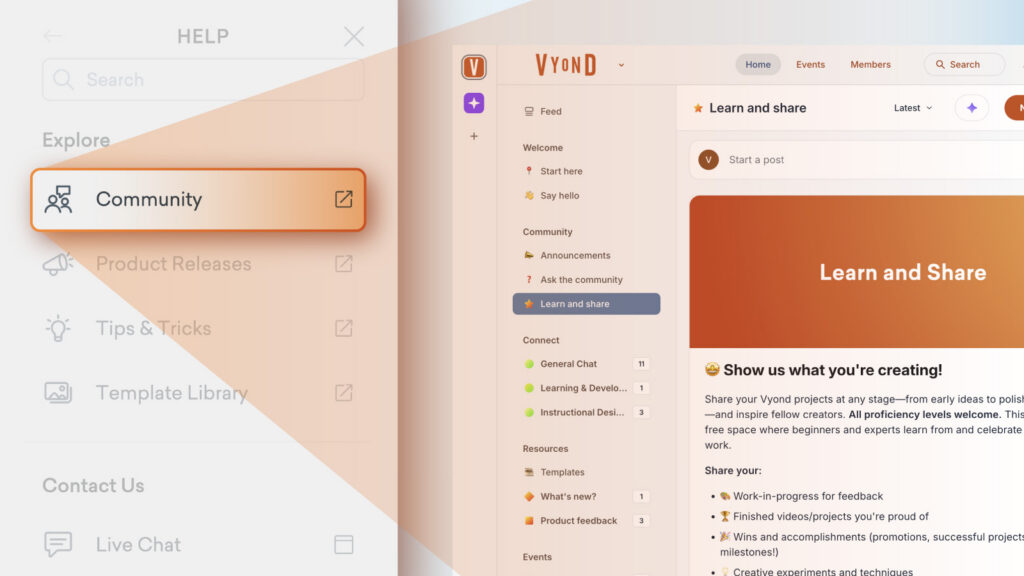
From the Vyond home page you can select the Vyond Community banner or from a link in the Help panel. Or use the link below!

Join the Vyond Community >

Share your feedback:

Please fill out a one-minute survey and help us continue to provide high quality Vyond experiences.
more
Standard

150+ New Voices with ElevenLabs

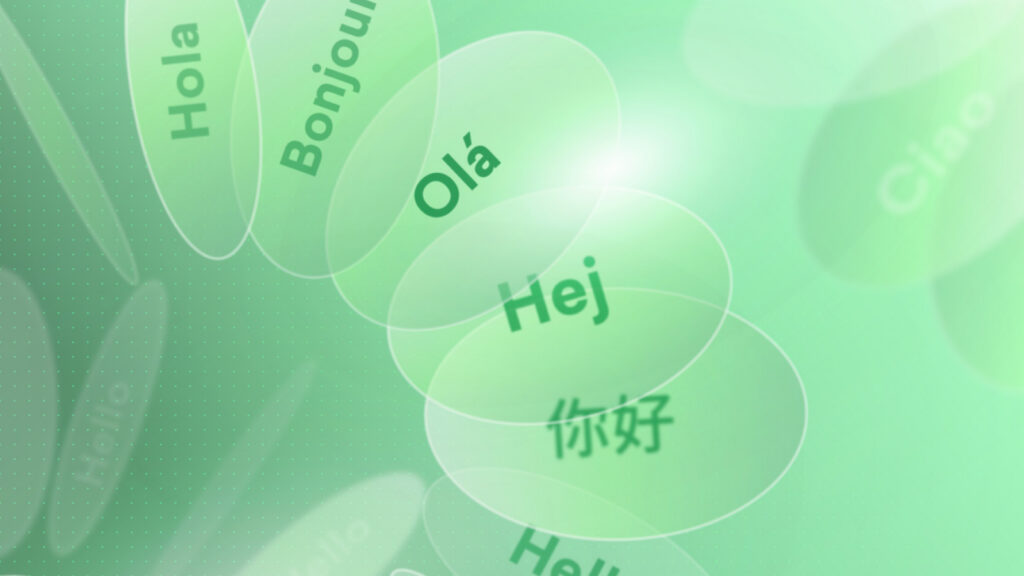
We’ve added 150+ ElevenLabs V3 voices to Vyond! Known for the expressive text-to-speech technology behind them, these voices speak in 70+ different languages and adding four new languages to our library (Chichewa, Hausa, Kirghiz and Lingala), giving you more ultra high quality voice options to bring your stories to life.

Audio performance

ElevenLabs voices are pretty good at recognising the type of tone of voice to used based on the words and sentence structure used in the script. You can also include audio tags to help shape the performance, emotion and pacing of the audio. These look like text-based commands. Some examples:

  • Emotional direction: [angry], [thoughtful]
  • Pacing and pauses: [pause], [rushed]
  • Volume control: [whispering], [shouting]
  • Human reactions: [laughs], [sighing]
  • Mid-sentence shifts: “[whispering] I’ve got something to share… [pause] [delighted] cake! [laughs]”

Please note ElevenLabs voices in Vyond are available on Enterprise and Agency plans only.

Learn more about using audio tags for expressions >


Share your feedback:

Please fill out a one-minute survey and help us continue to provide high quality Vyond experiences.
more
Standard

Vance (Latest) and More Voices

Vyond gives you the power to use lip sync voices in different scenes so you can deliver the most engaging videos. We periodically update the text-to-speech tool with more voices. This latest enhancement includes 11 new voices for you to use.

Here is a list of our newly added voices:

  • Multilingual: Diya (Latest)
  • Multilingual: Neerja (Latest)
  • Multilingual: Emma (Omni)
  • Multilingual: Evelyn (Latest)
  • Multilingual: Jelly (Omni)
  • Multilingual: Jimmie (Latest)
  • Multilingual: Juno (Latest)
  • Multilingual: Tiana (Latest)
  • Multilingual: Tyler (Latest)
  • Multilingual: Vance (Latest)
  • Multilingual: Osman (Latest)

One voice was removed during this update:

  • Multilingual: Meera2 (Latest)

These changes ensure you have access to the most advanced and diverse voice options for your content creation needs.

Learn more about text-to-speech >

Share your feedback:

Please fill out a one-minute survey and help us continue to provide high quality Vyond experiences.
more
Standard

Hide and Show Assets in Vyond Studio

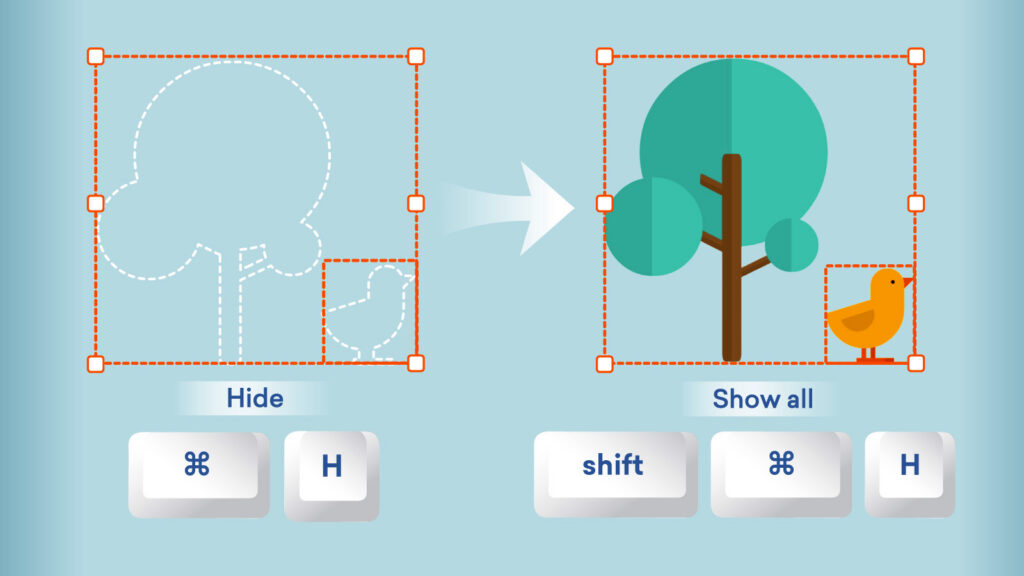
Editing complex scenes just got simpler! With Hide and Show, you can focus on specific assets without removing or rearranging anything in your scene. 

Here’s what’s new

  • Easily hide overlapping assets to reduce clutter and access hard-to-reach elements when composing a scene.
  • Select an asset and Hide in the asset view.
  • Unhide with ease by selecting Show on assets individually in the Arrange menu, or use Show all.
  • Hidden assets stay hidden across sessions, previews, and generated videos.
  • You can use the following shortcuts too:

FunctionWindows shortcutMac shortcut
Hide / ShowCtrl+H⌘ H
Show allShift + Ctrl + HShift + ⌘ H

Dive into edits without distraction. Available now in Vyond Studio to all plan types.

Learn more about hiding and showing assets >

Share your feedback:

Please fill out a one-minute survey and help us continue to provide high quality Vyond experiences.

more
Standard

Bulk Edit Voice Settings

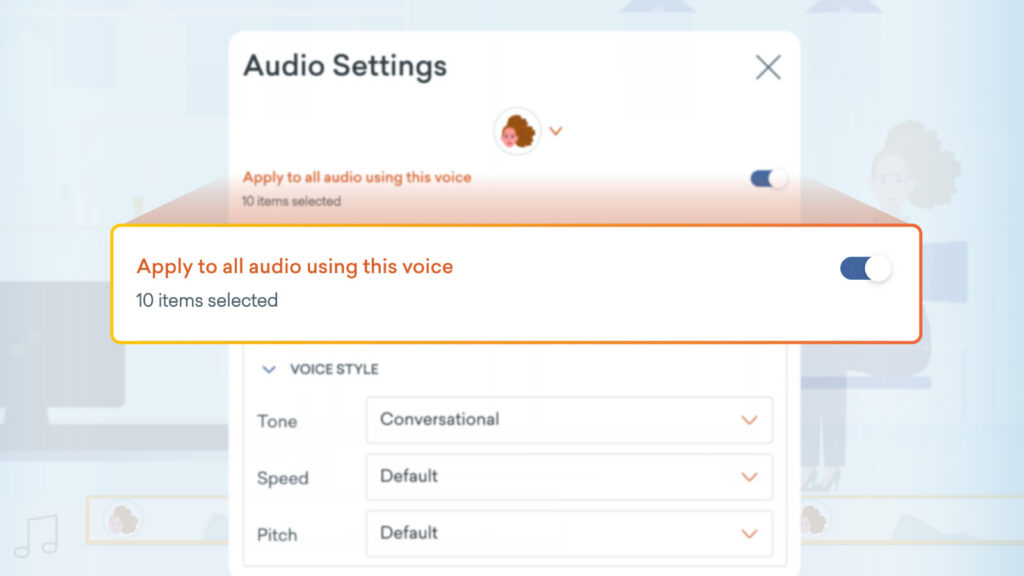
Save time swapping out text to speech voices, because you can now bulk edit all text to speech in a video that shares the same voice. Quickly update multiple audio clips at once, ensuring your video maintains a seamless, consistent voice from start to finish.


When to use this

As technology continues to improve, text to speech voices are becoming more natural and expressive. If you prefer newer voices and want to update older videos to match, this feature is available to help you to achieve this more smoothly.

Available now in Vyond Studio to all plan types.

Learn more about audio editing >

Share your feedback:

Please fill out a one-minute survey and help us continue to provide high quality Vyond experiences.
more
Standard

Expanding Translation Capabilities

We’ve expanded our auto-translation feature with 20+ new languages, powered by Google Translate and Azure Translator. Now, you can effortlessly translate your videos into even more languages, perfectly synced with our text to speech voices.

How it works

  1. Select the Translate/Edit Text icon in Vyond Studio.
  2. Choose your Translate From language or confirm the auto-detected one.
  3. Pick your Translate To language.
  4. Select Translate.

Please note auto translation is available on Professional, Enterprise and Agency plans only.

Learn more about auto translation >

Share your feedback:

Please fill out a one-minute survey and help us continue to provide high quality Vyond experiences.

more
more
Standard

Style Prompts for Consistent Visual Content

Maybe you generate five images for the same project, but they all look completely different. What to do? The fix is simpler than you think. When you’re writing your prompt for image generation as you describe the content of what you want, you can also include descriptions for a style in your prompt, and reuse the same across every subsequent generation. Here are some ready-made style prompts to get you started, feel free to copy and paste them and adjust them to your needs.

Cinematic Teal & Orange

Copy the following text and add to your image prompt to generate content in the style of cinematic teal and orange.

A cinematic blockbuster film aesthetic, directional lighting with vibrant teal and deep amber color palette, shallow depth of field with anamorphic lens characteristics, lens flares, and subtle film grain. Clean, minimalist composition.

Ethereal Glow

Read more
more
Standard

New Body Types for Storybook Characters

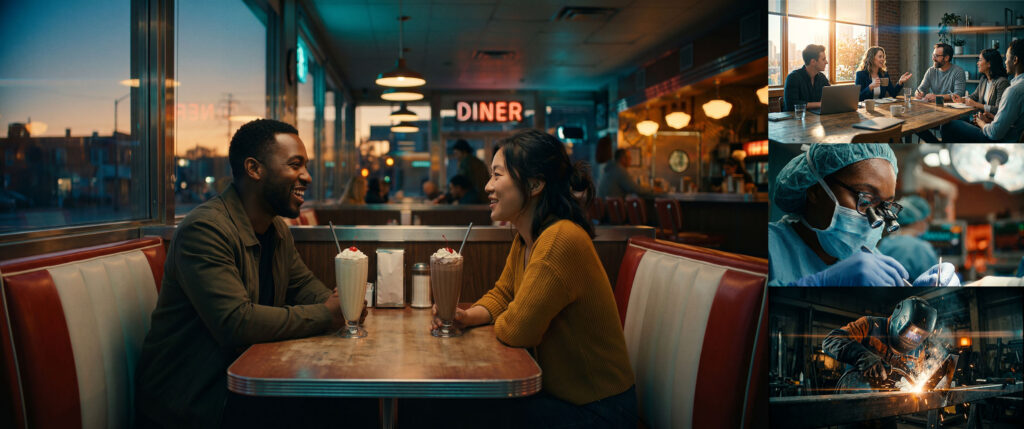
Great representation can make all the difference, and reflects the wide range of your audience. Now you can select from different body types when creating Storybook characters, helping your stories better reflect the world around us.

As we expand what’s possible with Storybook style, your feedback helps us keep moving forward.

Learn more about the Library panel >

Share your feedback:

Please fill out a one-minute survey and help us continue to provide high quality Vyond experiences.
more
Standard

46,000+ Audio Tracks From Shutterstock

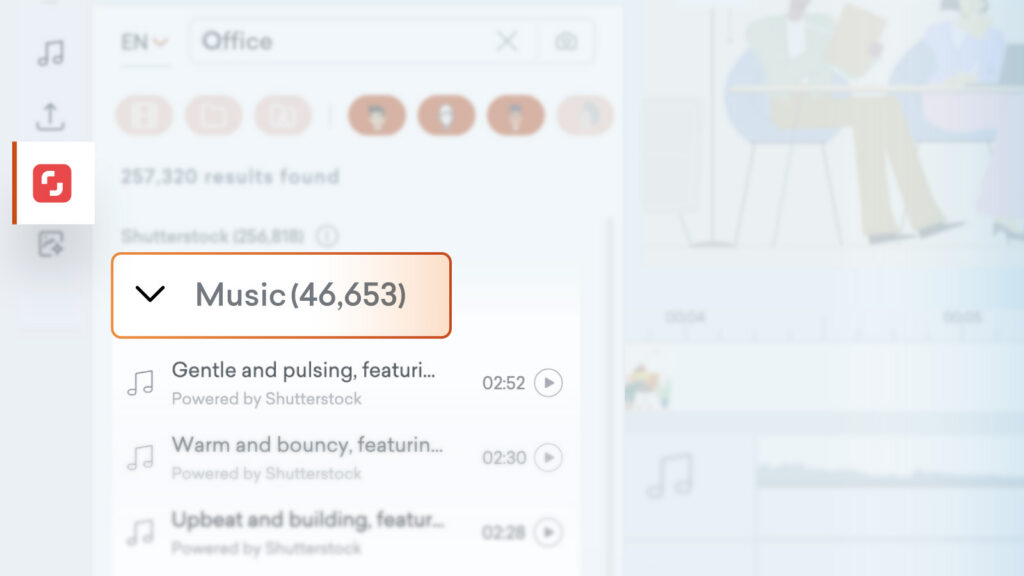
The audio catalog has expanded to 46,653 tracks from Shutterstock! When you’re next adding audio to your video in Vyond Studio, simply search in the content panel and explore under the Shutterstock tab. It’s never been easier to find the perfect track.

*Please note, this feature is available to users on Professional, Enterprise and Agency plans only.

Learn more about Shutterstock in Vyond >

Share your feedback:

Please fill out a one-minute survey and help us continue to provide high quality Vyond experiences.
more
Standard

Meera2 (Latest) Voice

Vyond gives you the power to use lip sync voices in different scenes so you can deliver the most engaging videos. We periodically update the text-to-speech tool with more voices. 

Here is a list of our newly added voices:

  • Multilingual: Meera2 (Latest)

Learn more about text-to-speech >

Share your feedback:

Please fill out a one-minute survey and help us continue to provide high quality Vyond experiences.
more
Standard

Model Upgrade for Image and Avatar Generation

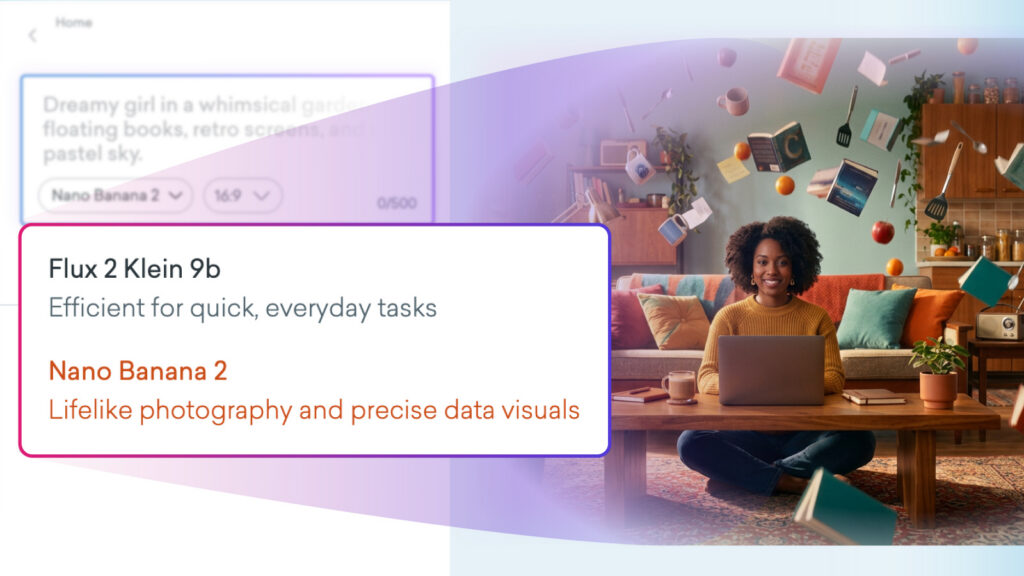
We’ve upgraded our tools. Text to Image generation now features Nano Banana 2 and Flux 2 Klein 9b delivering even more variety and precision. The same model update also applies to Text to Avatar, giving you expanded options for creating custom characters.

Here’s how to try it

  • Write your prompt.
  • Select a model from the dropdown.
    • Flux is available on all plans.
    • Nano Banana is exclusive to Enterprise and Agency plans.
  • Choose your aspect ratio.
  • Select Generate to create!

*Please note, Text to Image generation is available across all plans, however each generative model option varies by plan type.
Text to Avatar is available on Professional, Enterprise and Agency plans only.

Learn more about avatars in Vyond Studio > 

Share your feedback:

Please fill out a one-minute survey and help us continue to provide high quality Vyond experiences.

more