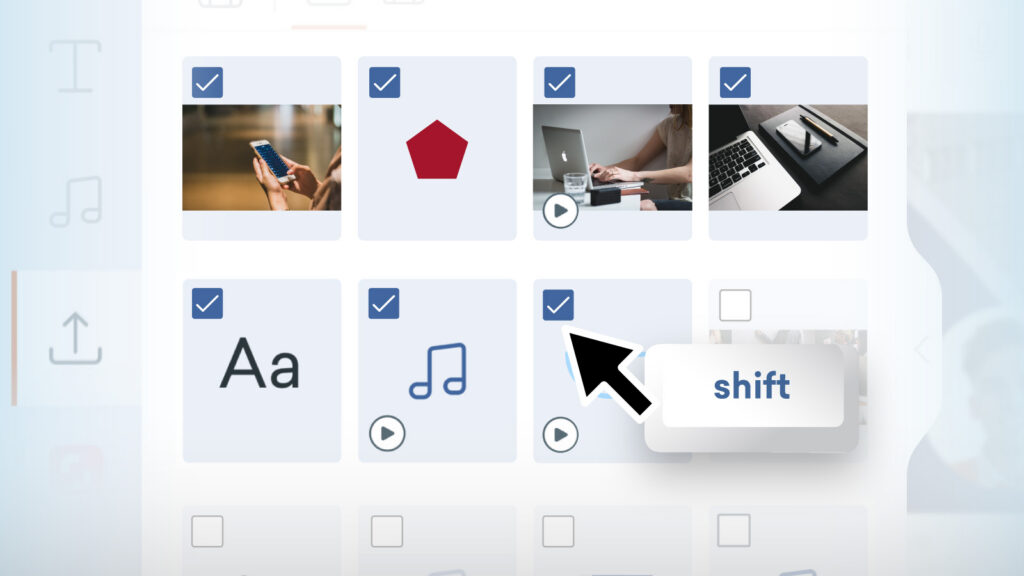
Managing large libraries of content just got a lot faster! With the Shift + Select feature, you can effortlessly choose multiple assets in a single motion in your Uploads, Characters and Audio folders, streamlining your workflow when it comes to bulk asset management.
How it works
- In Vyond Studio, open the content panel on the left-hand side.
- Navigate to Uploads, Characters, or Audio.
- Select the first asset, hold the Shift key, then select another asset to highlight everything in between.
- At the bottom of the content panel, it shows how many items are selected. You can delete, or from the 3-dot menu, you can select to add to a collection or Shared Library.
Learn more about multi-selecting assets >
Share your feedback:
Please fill out a one-minute survey and help us continue to provide high quality Vyond experiences.