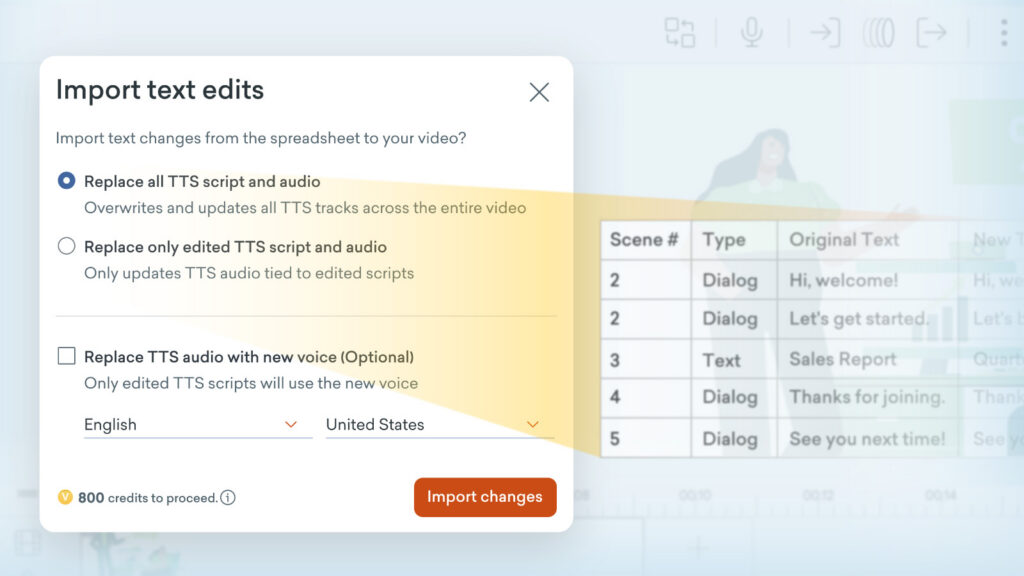
Take charge of how your text-to-speech scripts are updated with this latest enhancement. Now, when you’re importing text into Vyond Studio you can choose between regenerating all or only the revised sections of text-to-speech. Here’s more about these two options:
Replace all TTS script and audio
This option will overwrite and update all the text-to-speech across the entire video. You may want to use this to ensure consistent audio throughout the video, particularly if you are updating a video from a long time ago.
Replace only edited TTS script and audio
This option only updates the parts of the text-to-speech that changed in your imported and edited script.You may prefer to use this to refresh only the sections you’ve revised, for a quicker efficient update.
Learn more about export and import text >
Please note auto export and import text is available on Professional, Enterprise and Agency plans only.
Share your feedback:
Please fill out a one-minute survey and help us continue to provide high quality Vyond experiences.